Back
BackTrellis
Helping teams make subscription decisions before the renewal deadline.
Project details
- Role
- Product design and prototype development
- Scope
- Product framing, user flows, interface design, and implementation
- Platform
- Web app
- Status
- Working prototype
TL;DR
- Problem: Renewals involve several people and a notice deadline that comes before the renewal date, so decisions are easy to miss.
- Solution: A renewal decision queue that connects ownership, recommendations, decisions, and notice follow-through in one workspace.
- My role: Product framing, user flows, and interface design, then a working prototype built with AI coding agents.
- Outcome: A working prototype covering the full renewal workflow, including reassignment and missed-deadline recovery.
Read full case studyShow less
Overview
Trellis is a subscription management concept that brings upcoming renewals, contract owners, usage information, and decision-making into one workspace.
I built the project from scratch, taking it from product definition and interaction design through to a working prototype with AI coding agents.
A renewal date is only part of the decision.
A subscription renewal involves several people and a sequence of actions. Someone needs to review usage, recommend what to do, make the final decision, and notify the vendor before the contract’s notice deadline.
My problem framing for Trellis was to explore how those steps could come together so teams can answer four questions:
- Which renewals need attention now?
- Who is responsible for the decision?
- What information supports the recommendation?
- What still needs to happen before the renewal is handled?
Make the next action clear.
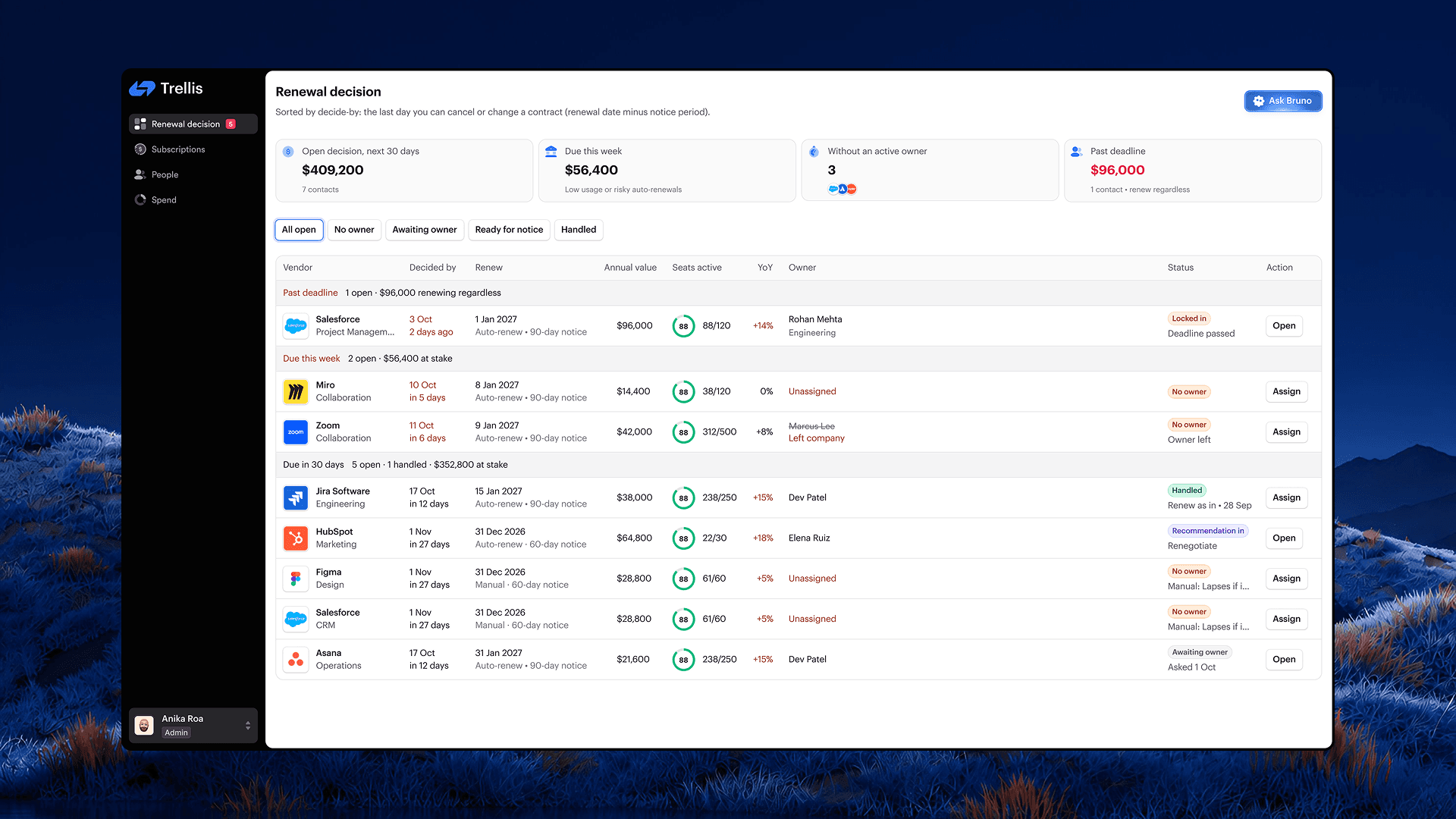
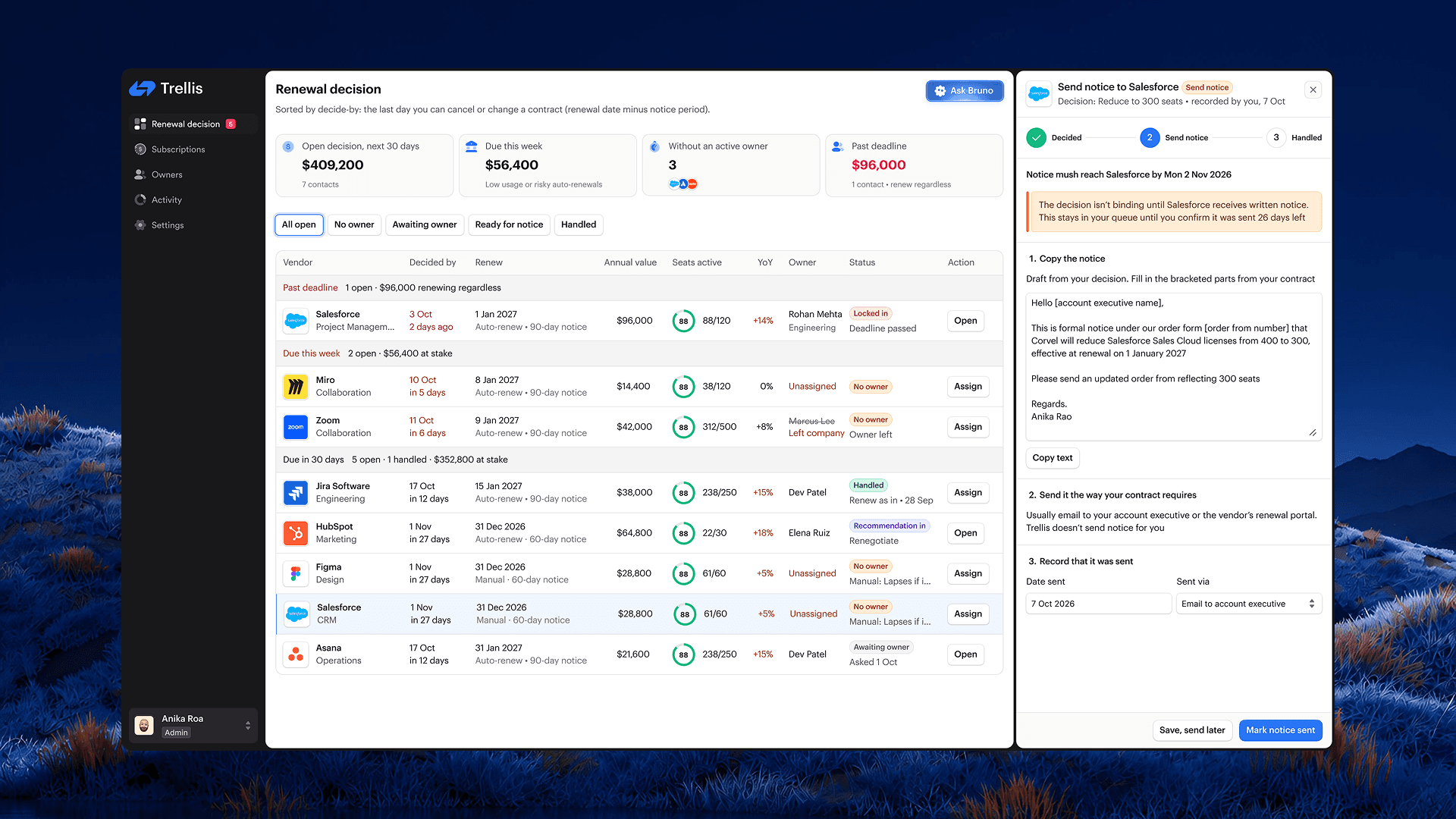
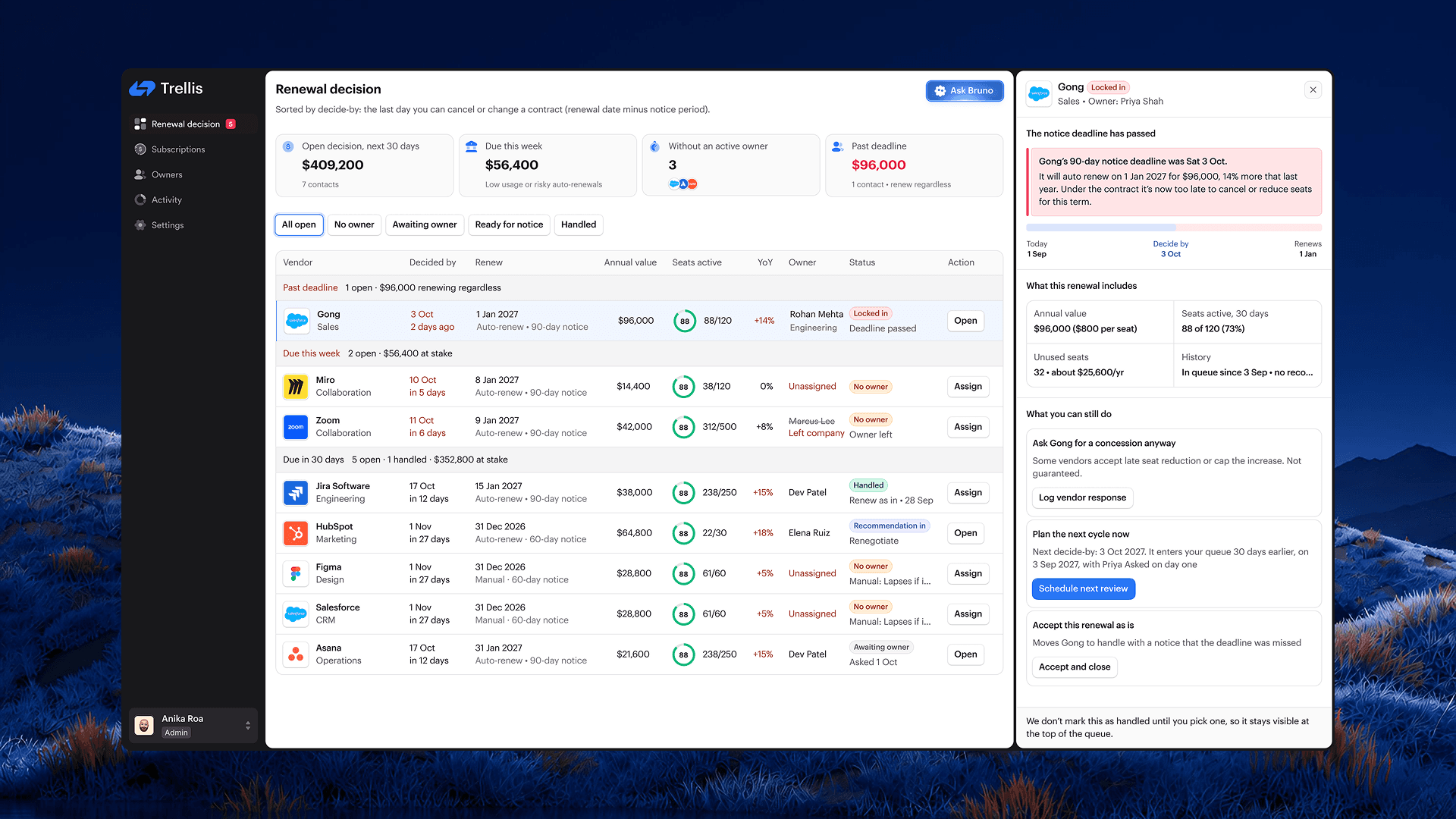
I structured Trellis around a renewal decision queue. Each contract shows its deadline, owner, usage, value, and current status, with an action that reflects what needs to happen next.
The queue connects the overview to the detailed workflow. A user can assign an owner, review a recommendation, record a decision, and track the required notice from the same workspace. The queue prioritizes the date by which a decision must be made, accounting for the vendor’s notice period.
One renewal, start to finish
A subscription is approaching its notice deadline. Its usage needs reviewing, and the team must decide whether to renew, reduce seats, renegotiate, or cancel.
- Identify the renewal. The admin reviews the queue and sees the deadline, contract value, usage, and ownership status.
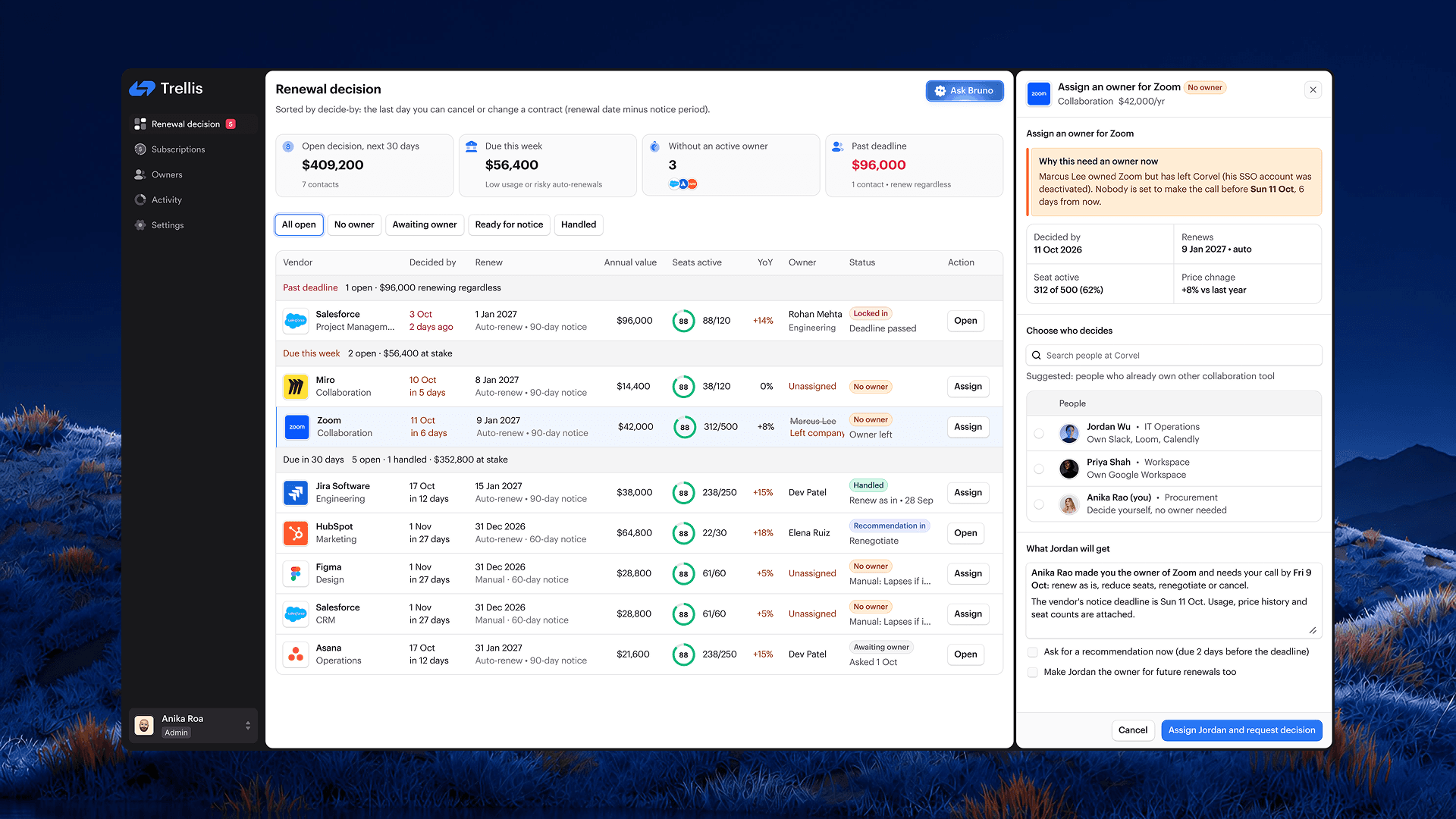
- Assign responsibility. If there is no active owner, the admin assigns someone and requests a recommendation with the relevant context.
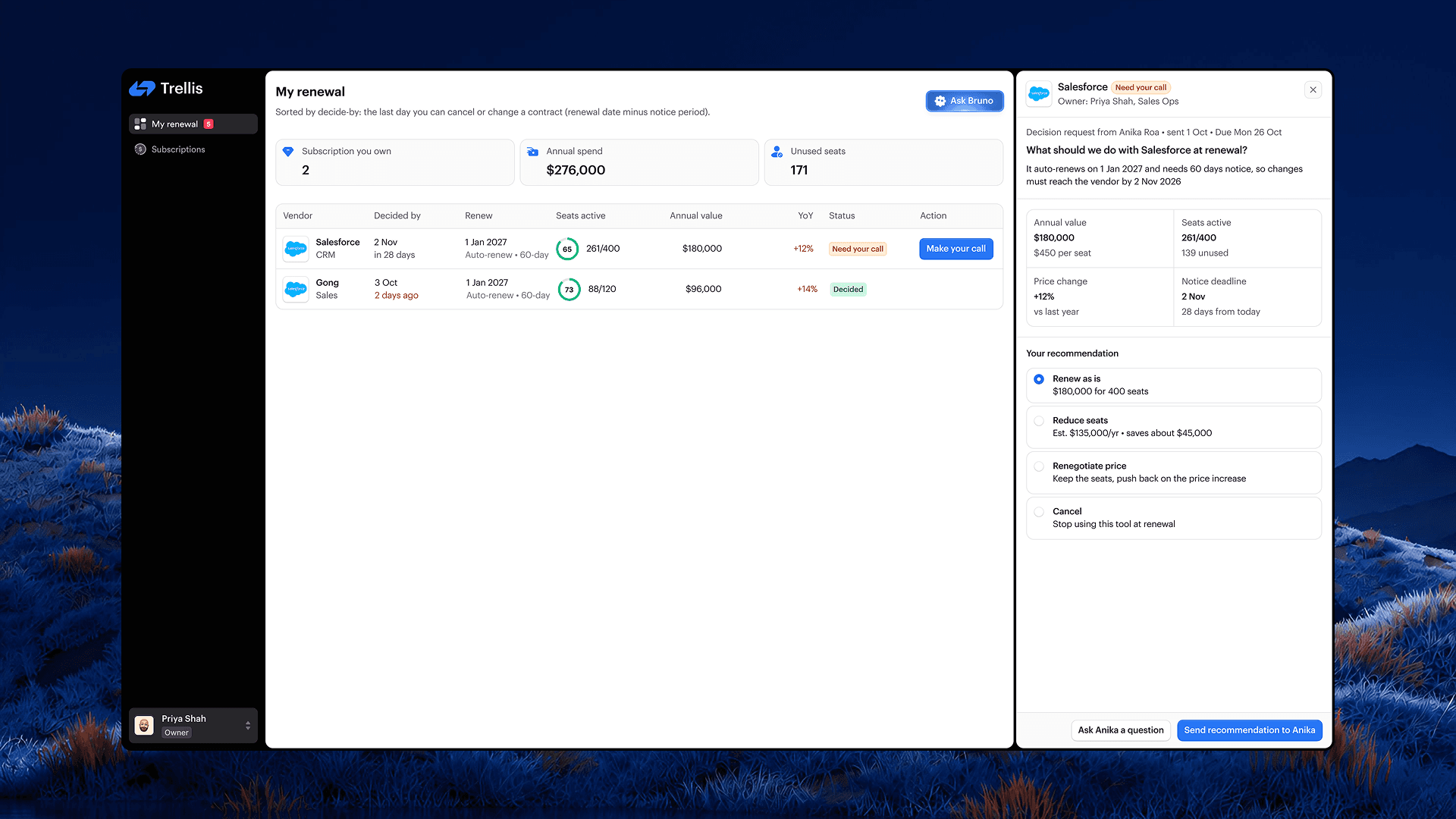
- Collect a recommendation. The owner reviews usage and contract information, then recommends a course of action.
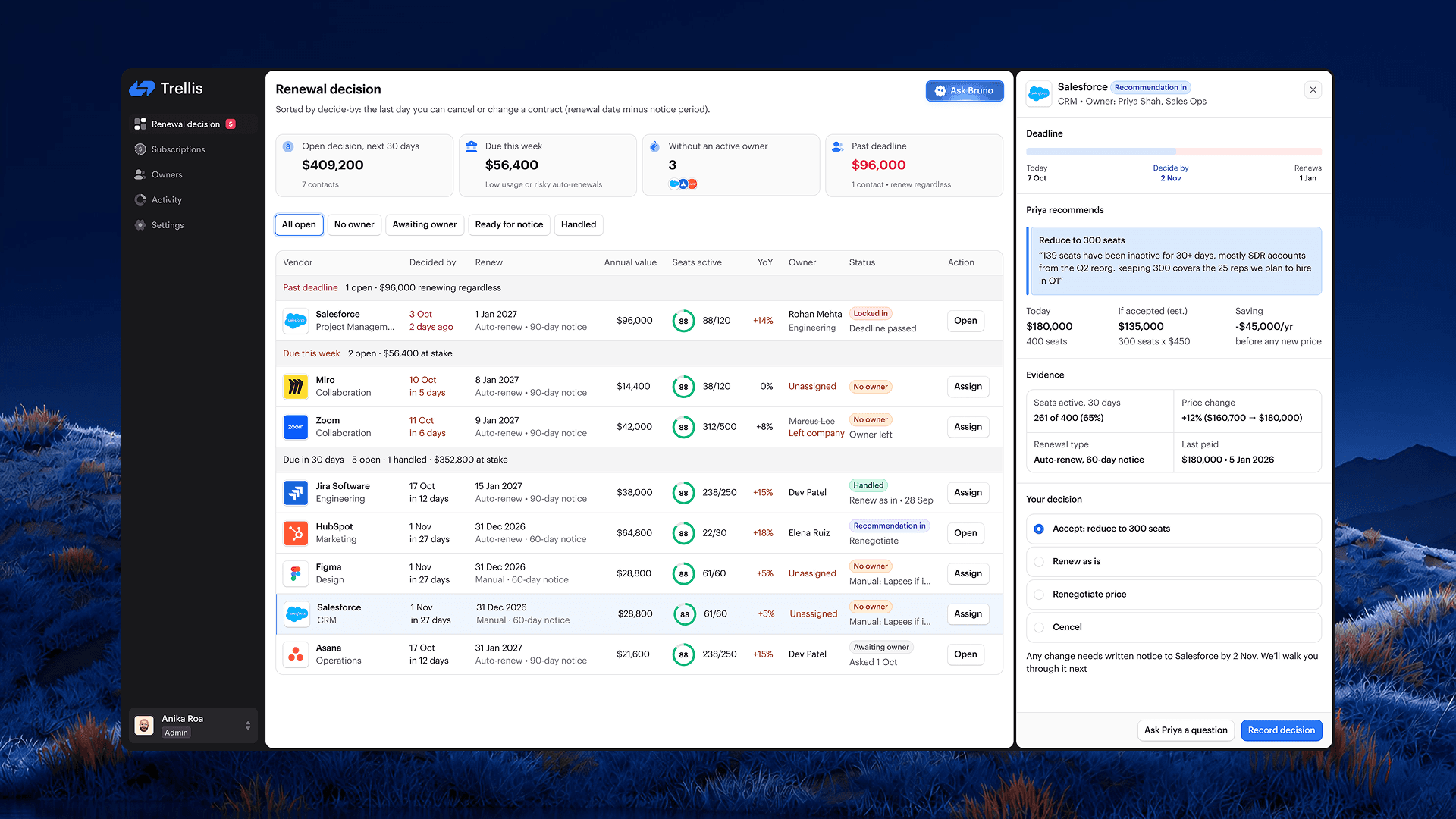
- Make the decision. The admin reviews the recommendation alongside its reasoning and financial implications, then records the decision.
- Complete the required notice. Trellis provides a draft notice and instructions. The admin sends it through the required channel and records that it was sent.
- Close the loop. The renewal reaches a handled state once the required follow-through is complete.
Designing beyond the ideal path
- Ownership can change. A renewal may belong to someone who has left the company. Trellis surfaces that gap and provides a reassignment flow with enough context for the next person to act.
- Recommendations need context. The decision view brings together usage, pricing, deadlines, and the owner’s reasoning. This helps the admin understand the recommendation before accepting it.
- Recording a decision does not finish the work. For contracts that require written notice, choosing to reduce seats or cancel still leaves an action outstanding. Trellis keeps that step visible until the user records that notice was sent.
- Missed deadlines need a recovery path. A missed deadline remains visible with its consequences and available next steps, such as contacting the vendor or scheduling the next review.
Taking the design into a working prototype with AI agents.
I used AI coding agents to help translate the design into a working prototype. This extended my role into implementation and gave me a way to review the experience in the browser.
I gave the agents the designs, flow descriptions, and interaction requirements, then reviewed each implementation against the intended workflow, identified what needed correction, and refined the result until the behavior matched the design.
From an initial concept to a working prototype.
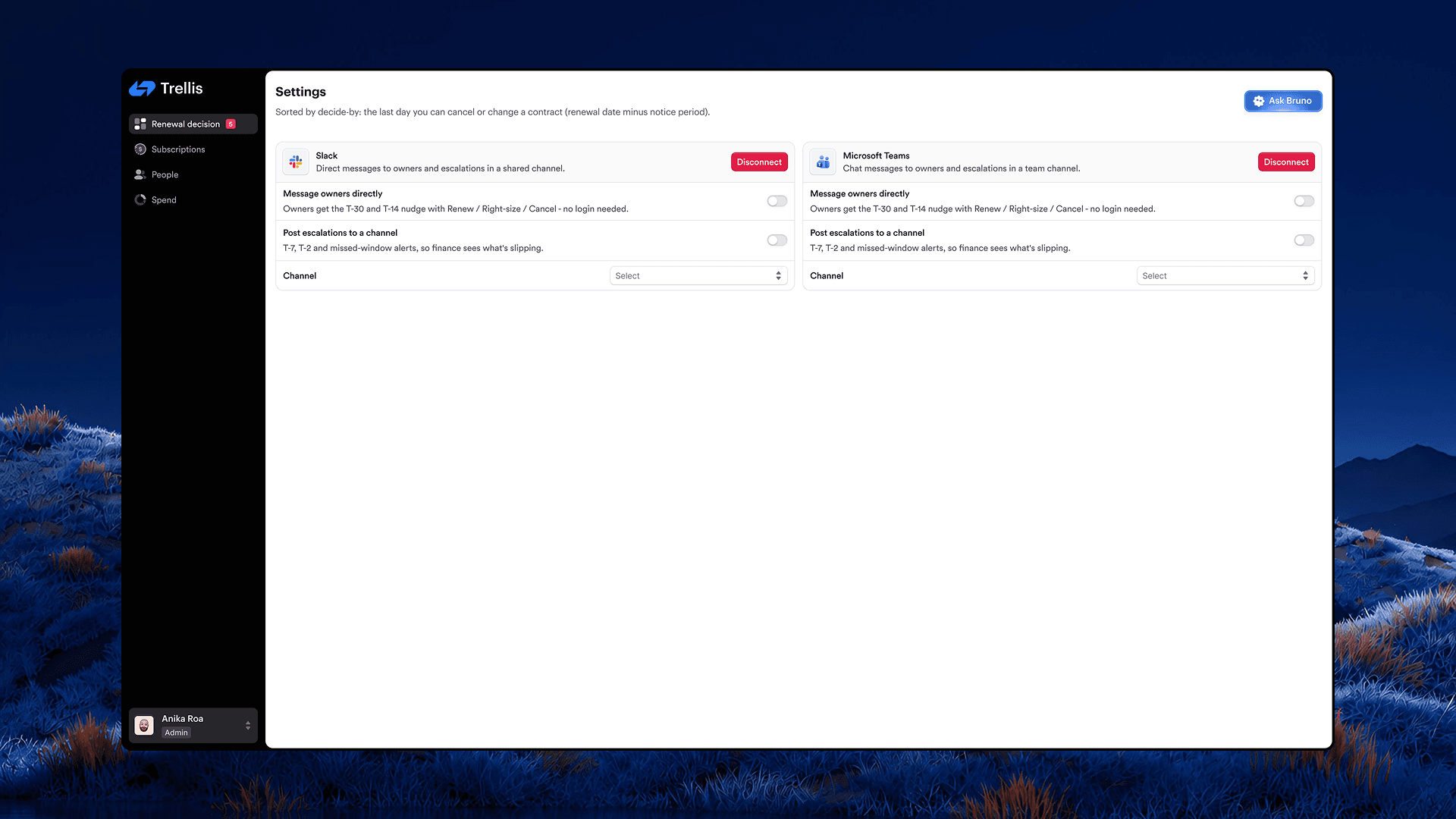
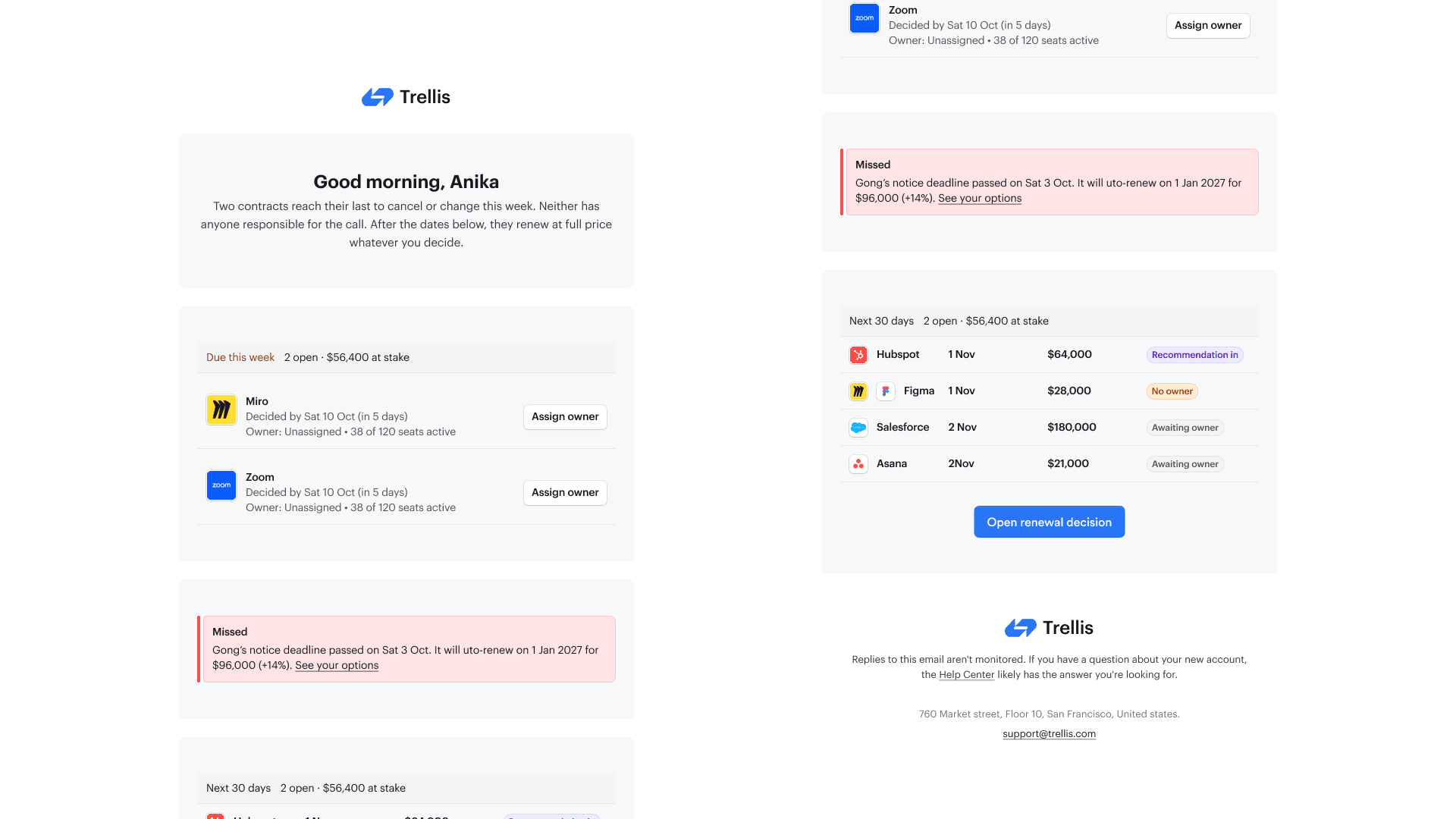
Trellis demonstrates how I approach a product from problem framing through interface design and implementation. The prototype brings together a renewal queue, owner assignment, recommendations, decision recording, notice follow-through, and supporting integrations and email reminders.
The next step is to test whether people understand the distinction between the notice deadline and renewal date, can identify their next action, and can complete the workflow without guidance.